A correlation rule is used to alert the admin when an event, or a series of events, occur in a specified time range. In order to create a new simple rule you have to:
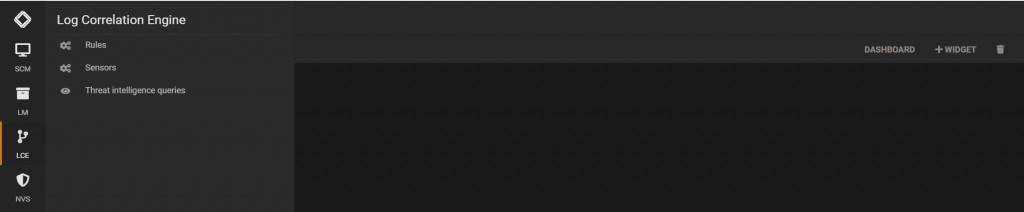
Using the SGBox web interface: SGBOX > LCE > Rules
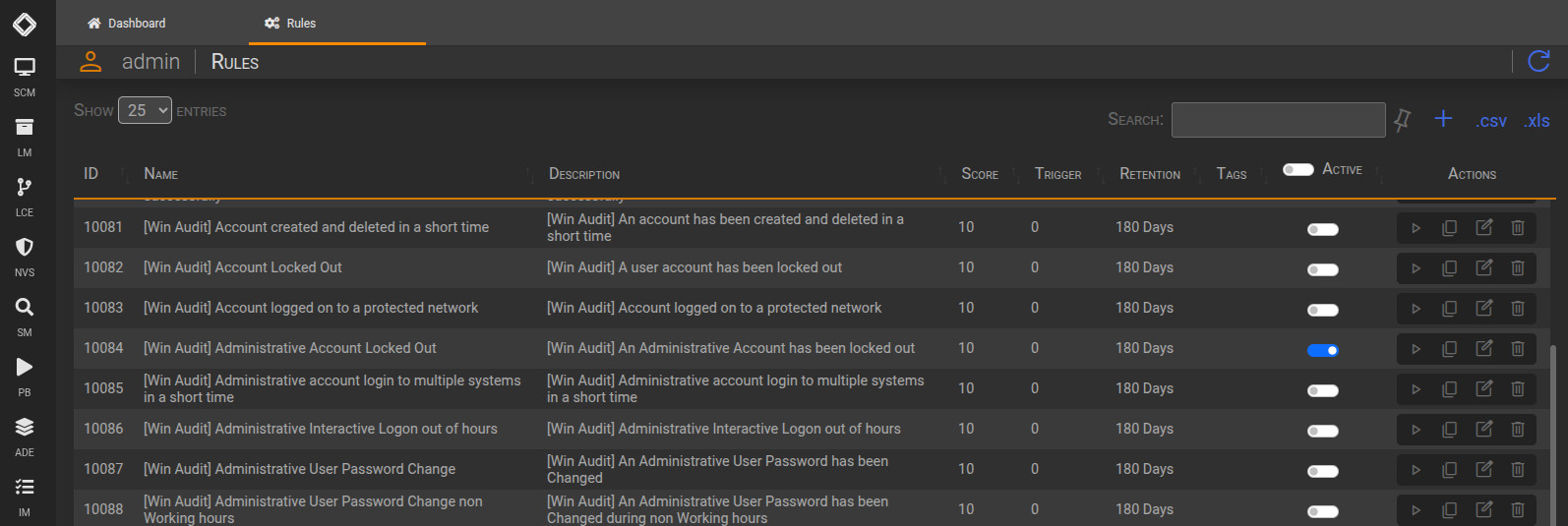
You can see the list of the precofigured rules that you can activate.
You can also create a new rul by click on + button
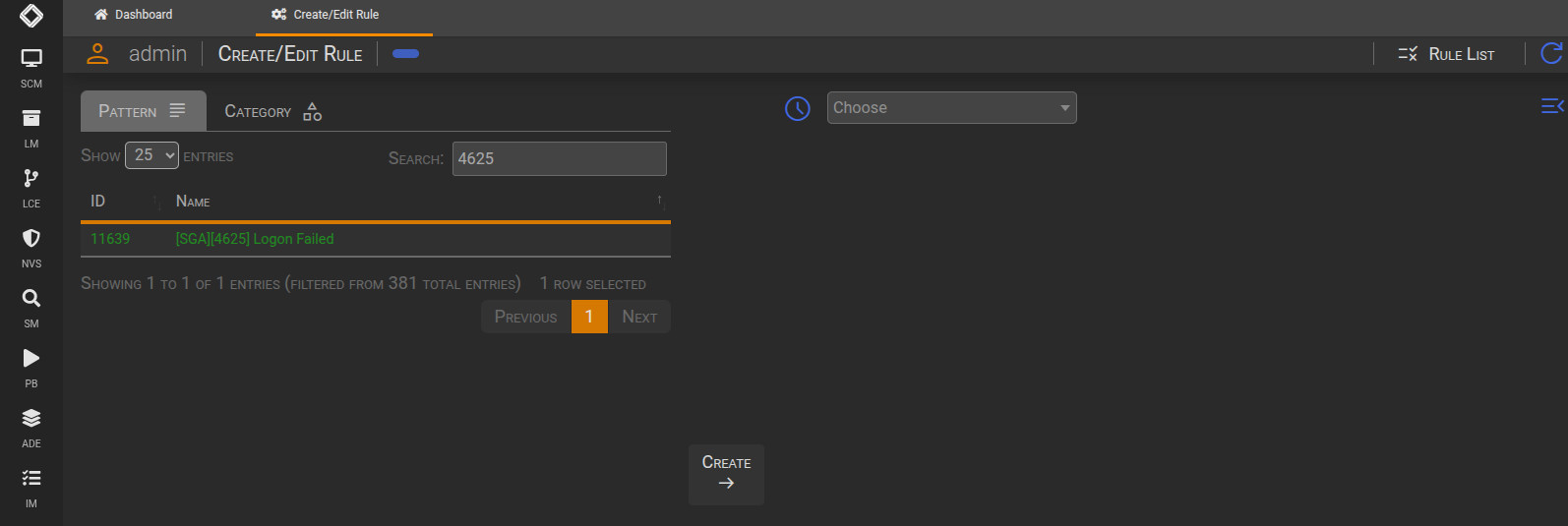
Select and event and click on Create
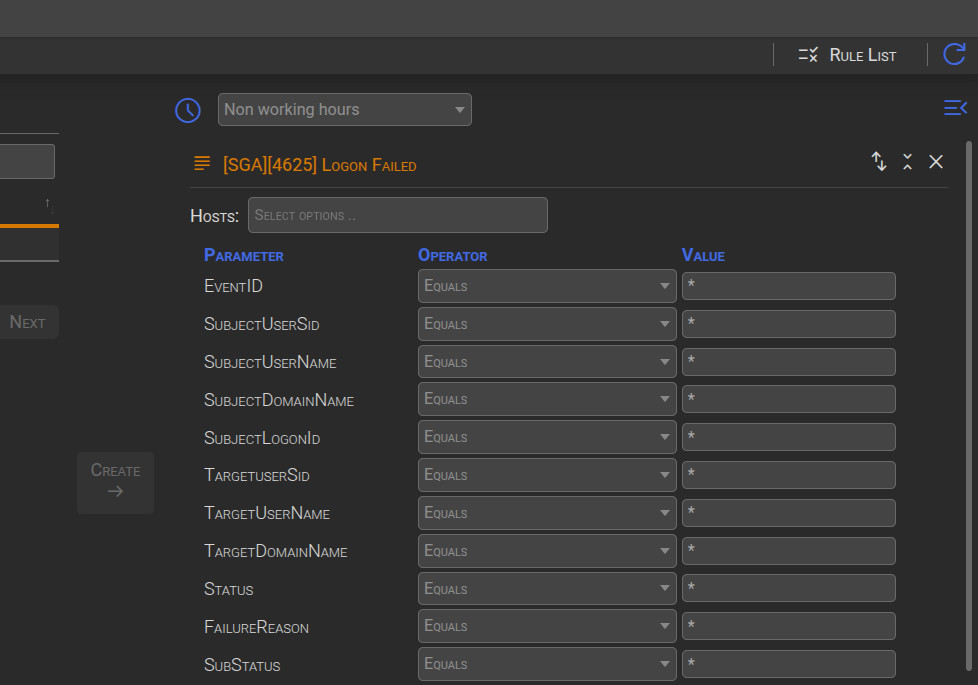
You can choose a specific timerange where the event will be triggered.
You can also filter some parameter by selecting different operatator
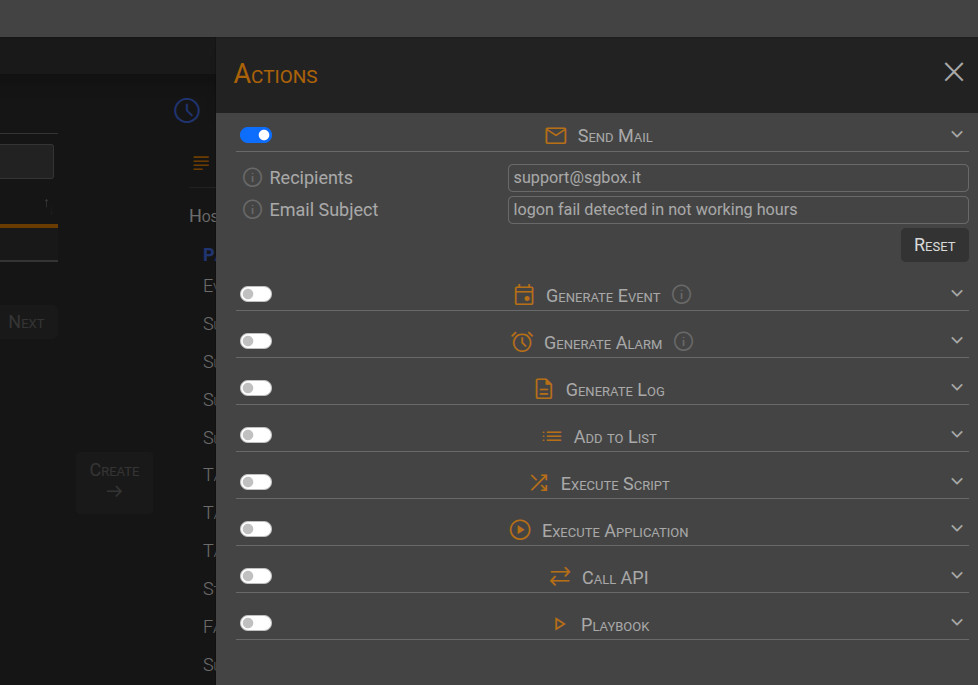
You can now click to Navigation drawer and select the action you want execute
Click on Save to finish the wizard. Give a name, description, timeout and click on Active flag to enable it.